
Songbird Studio
 Songbird Studio
Make a film inside a game world.
Songbird Studio brings live game capture and timeline editing into one desktop workspace. Record a take from a running game, shape it on the timeline, and export the finished film.
Your Hands Only
A comedy made inside Skyrim. One letter, one courier, the whole province.
Da Capo
The first Songbird Studio machinima. Shot in Jedi Academy, edited in Studio.
Join the beta list to hear when testing opens. Songbird Studio is in development, with no public release date yet.
What it is
A set you can shoot in.
Capture
Record a take of the running game window, with the game clock on every frame when the game is connected.
Cut
A timeline cut, the way a film editor works: trim, ripple, color, sound, export.
Finish
Bring the sound and color together, then export your finished film.
In detail
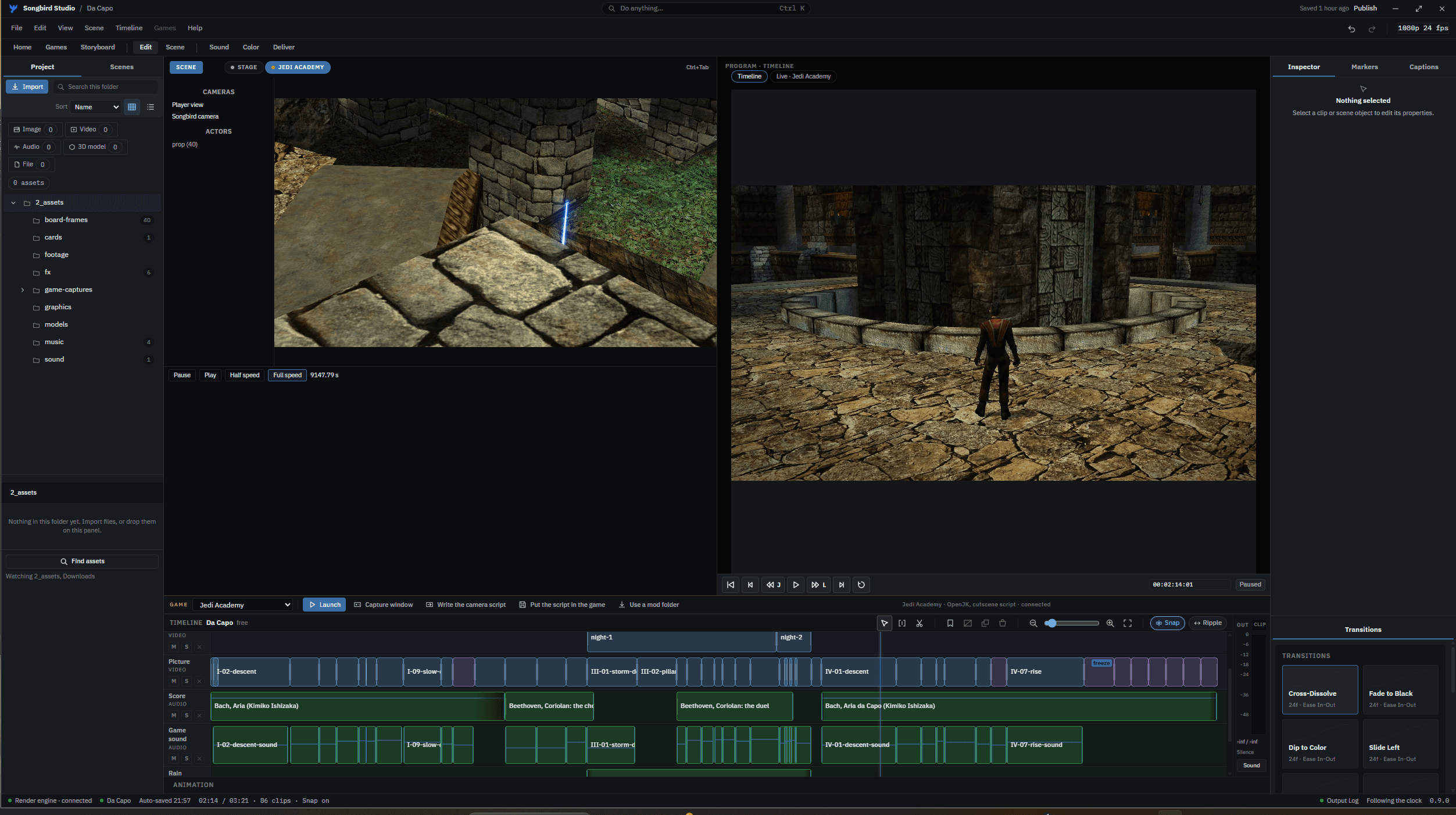
Edit
The game and the cut, together.
Record a take and shape it on the timeline. Split clips with the blade, trim their edges and ripple-delete a section to close the gap. Use snapping, markers and keyboard shortcuts to keep the cut moving.
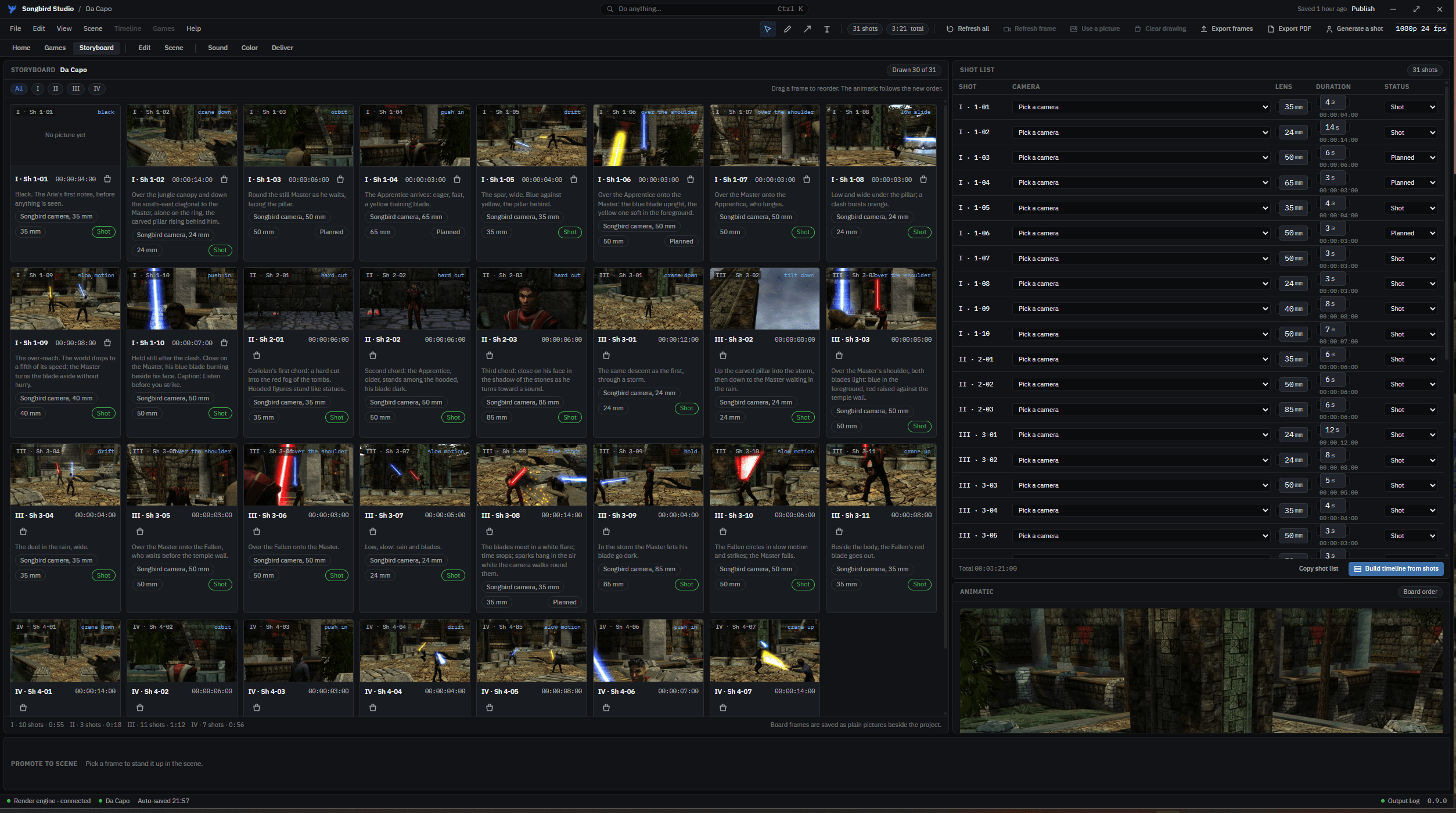
Storyboard
See the film before you shoot it.
Arrange your shots, set their lengths and keep the shot list beside the board.
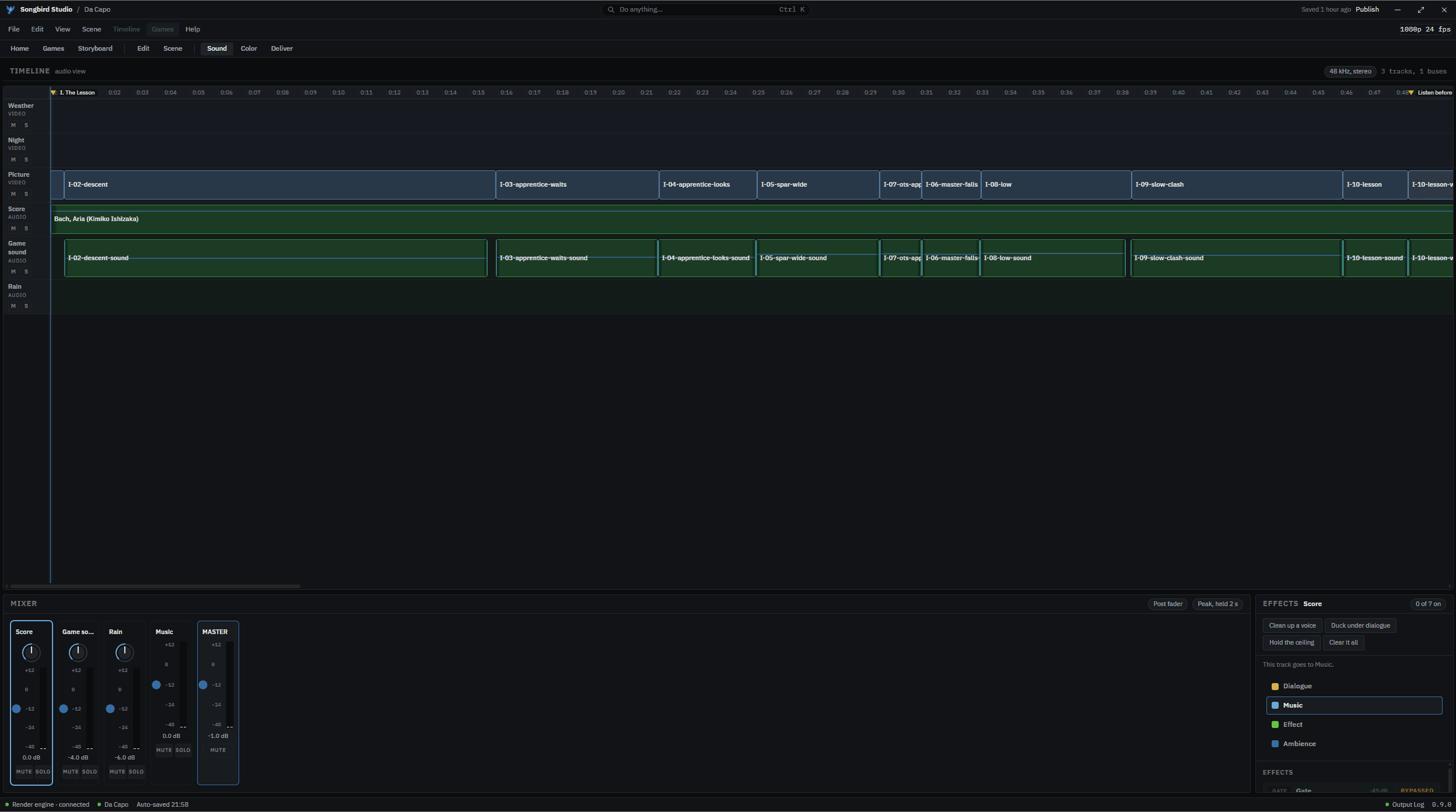
Sound
Give every scene its sound.
Keep dialogue, music and effects on their own tracks. Adjust each track in the mixer and hear it alongside the picture.
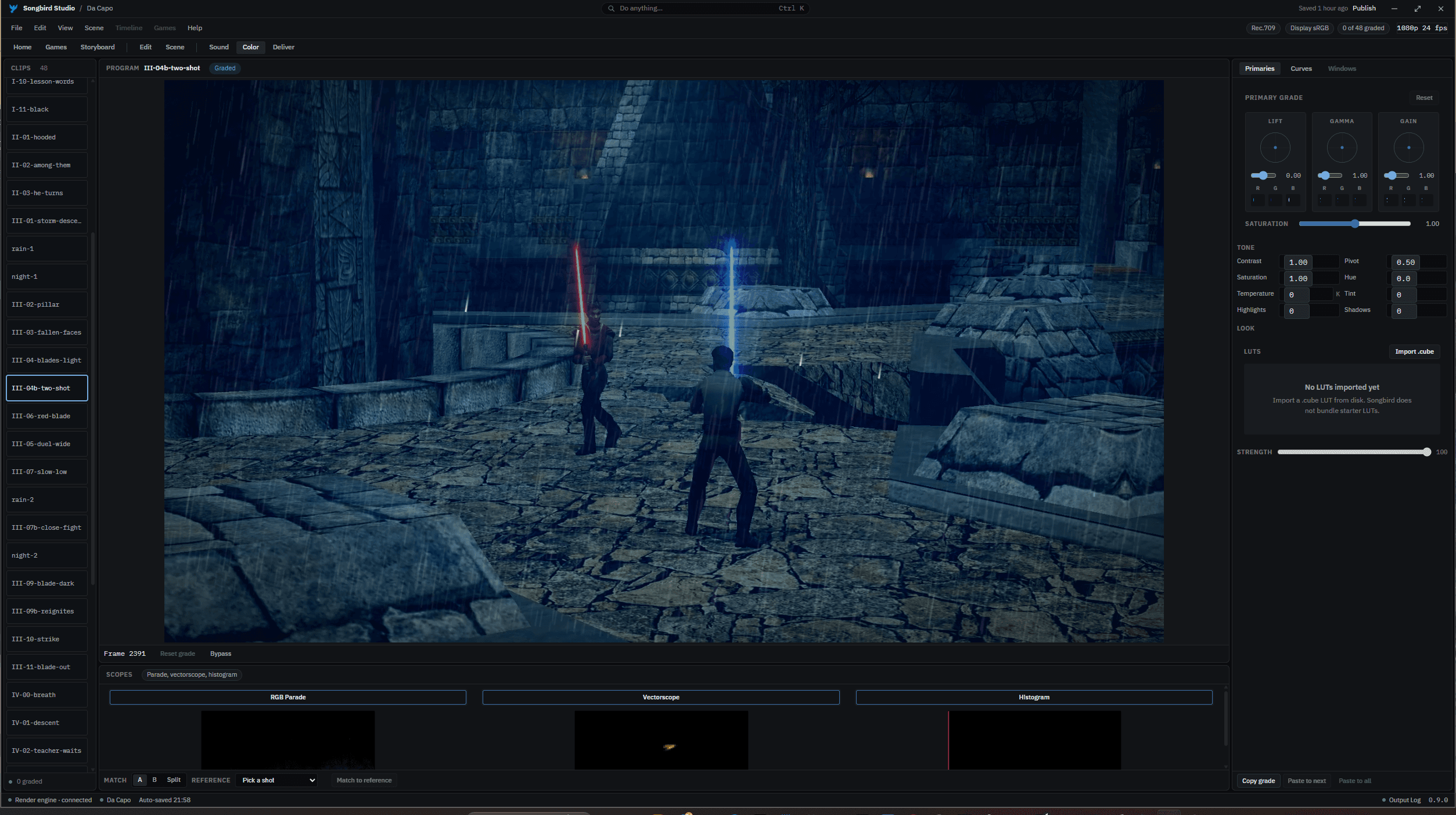
Color
Find the look of the film.
Grade a shot with the color wheels, compare it with a reference and carry the look into the next. Check the RGB parade, vectorscope and histogram as you work.
Games in Studio
You bring your own installed games. The tools available depend on the game: a live add-on, camera scripts, replays, or window capture.
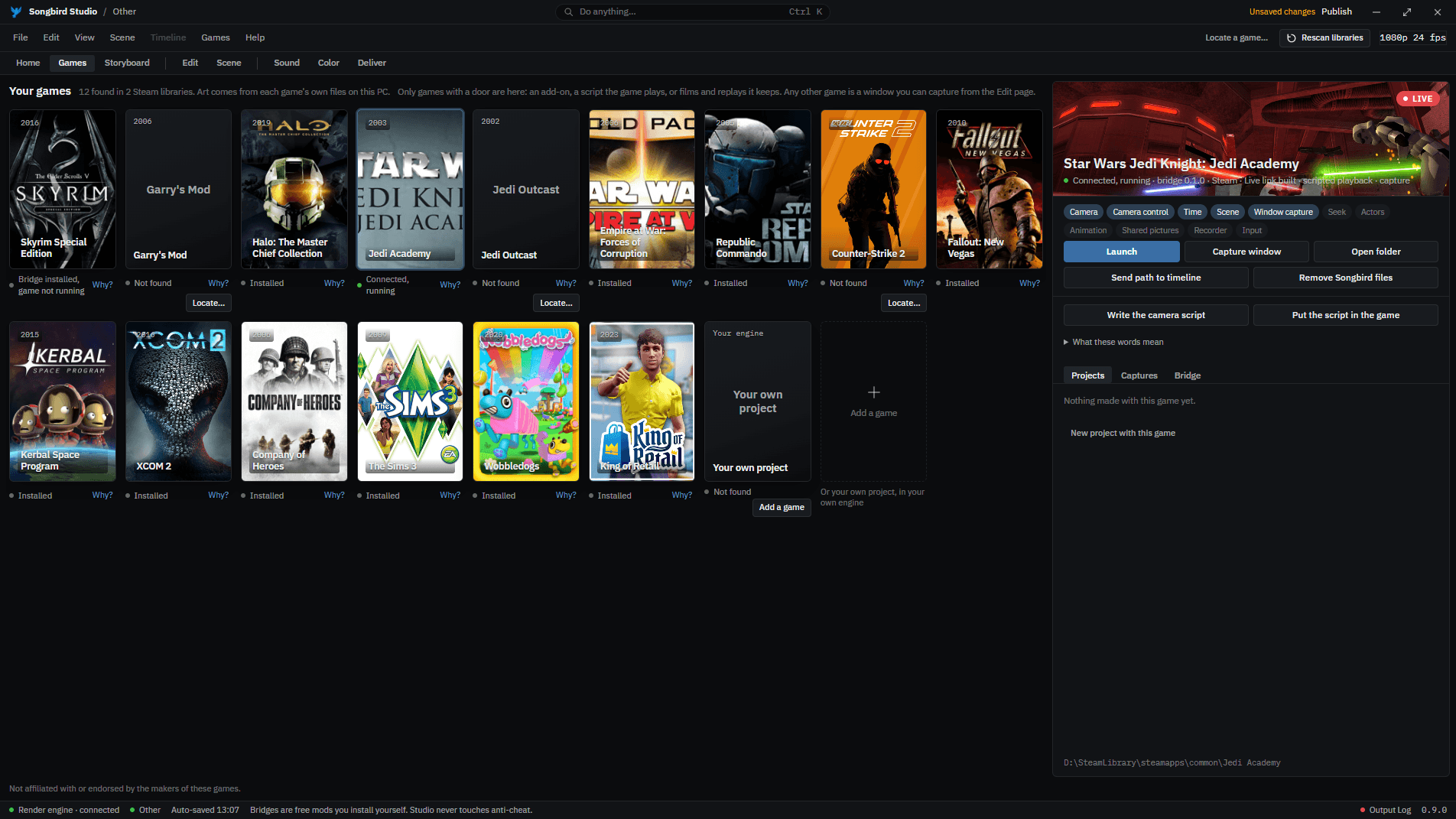
Live add-ons
- Jedi Knight: Jedi Academy
- Skyrim Special Edition
- Garry’s Mod
Camera scripts and replays
- Star Wars: Empire at War: Forces of Corruption
- Halo: The Master Chief Collection
- Counter-Strike 2
Launch and capture
- Star Wars Republic Commando
- Fallout: New Vegas
- Kerbal Space Program
- XCOM 2
- Company of Heroes
- The Sims 3
- Among Us
- Wobbledogs
- King of Retail
- Destroy All Humans!
Not affiliated with or endorsed by the makers of these games.
Questions we get
- What is next for the editor?
- Multicam editing is being developed so you can cut between camera angles. Songbird Studio has no announced public release date.