
Rook
 Rook
RookThe discs you own, in one place.
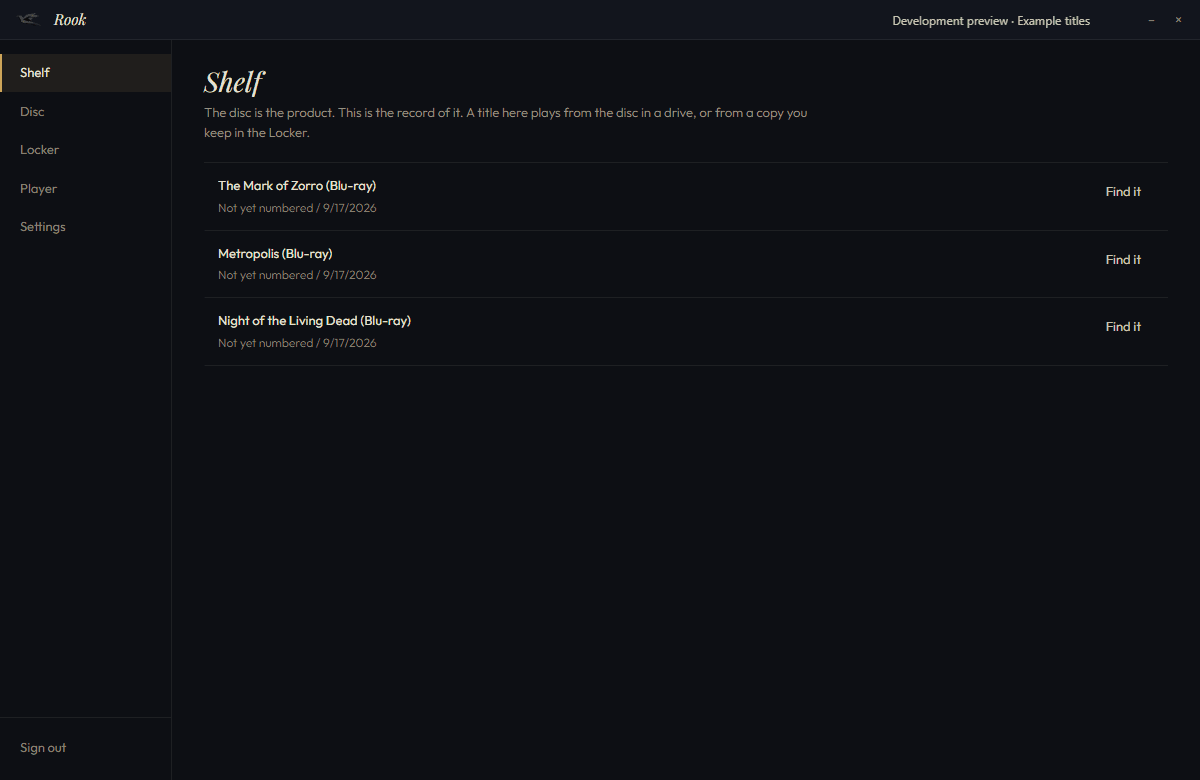
Rook, now in development, will bring your We the Indies disc collection into one desktop app. You will see your purchases, check a disc’s edition record and keep eligible digital copies in your locker. Once loaded, your collection will be available offline. You only open Rook when you need it, and your discs play without it.
Download
In development. No public release date yet.
Being developed for Windows 10 and 11, 64-bit. Games use their own launcher; supported films and albums can open in Goldwing Media Player. A disc never needs Rook or an account to play.
What it does
A collection of the discs you own.
Your shelf
Use your We the Indies account to see your purchases. Your loaded collection stays available when you’re offline.
A disc, once
Rook can read a signed edition record and check it against your account. This identifies the copy; it never blocks you from playing the disc.
Play
Games use their own launcher. Supported films and albums can open in Goldwing Media Player. You can also play your discs without Rook.
A newer build, on a click
It checks only when you ask, and it verifies what it finds before it installs anything.
In detail
For collectors
Keep track of the collection you’re building.
Bring your We the Indies purchases together, whether you collect games, films or albums. Check a signed edition record when a disc carries one. Your physical collection stays yours to play independently.
Where Rook goes
The home for what you own.
We’re exploring how a disc’s signed edition record could support eligible digital copies and a future used-disc marketplace. Those plans have no announced release date.
What it will not do
Sit in the tray
It opens when you open it and stops when you close it. No background process, no startup entry, no nag.
Gate a disc
Your discs never require Rook or an account to play. Goldwing plays compatible, unprotected discs on its own.
Break a lock
Rook does not remove DVD or Blu-ray copy protection. Protected-disc playback is separate future work.
Sell used discs
A used-disc marketplace is a future plan. It isn’t available today.
Requirements
- Windows
- 10 or 11, 64-bit
- Goldwing Media Player
- For compatible films and albums. Games use their own launcher.
- An account
- The site account, for your collection. Never for playing a disc.
- Internet
- For loading your purchases and accessing the locker. Your loaded collection works offline.
Want only Goldwing Media Player?
Goldwing Media Player plays a disc on its own, and never needs Rook.
Questions we get
- Is the Locker available yet?
- The Locker is open. The Locker holds a copy only for titles whose developer has added one. Your discs play on their own either way.
- Do I need Rook to play a disc?
- No. Your disc plays independently of Rook. Goldwing can play compatible, unprotected film and music discs without an account.
- Does it run in the background?
- No. You open it. You close it. Nothing stays running, and no setting changes that.
- What does certifying a disc do?
- It reads the signed record on the disc and asks the site whose copy that is. If it is yours, the title stays in your collection. If it is not, the disc still plays.